Go Beyond Purchase History: Adding Pet ID to the Touchpoints You Already Own
1. What Purchase History Still Cannot Tell You
You know what they bought. Do you know the pet they bought it for?
Most retail and CRM teams know the buyer better than the pet.
You can see how many bags of a large-breed formula shipped last quarter. You may know which customers bought them, when they reordered and how much they spent.
What the transaction does not tell you is which dog actually ate the food: what breed it was, how old or heavy it was, or whether the same dog stayed on the formula after the first bag.
That gap matters whenever a decision depends on the pet rather than the account. Which formula should you recommend next? Is the pet moving into a different life stage? Which customers are buying for puppies, adult dogs or seniors?
Purchase history can help you infer some of those answers. It cannot confirm the pet behind the purchase.
So the question is not only how to collect more pet data.
It is also: what would make a customer want to provide it?
2. Biometric Pet ID for Pet Retail: From Inferring the Pet to Confirming It
What is a biometric Pet ID?
A biometric Pet ID is a digital identity created from the pet itself. Petify uses a dog’s nose print or a cat’s facial features, captured with a smartphone camera, to create that identifier.
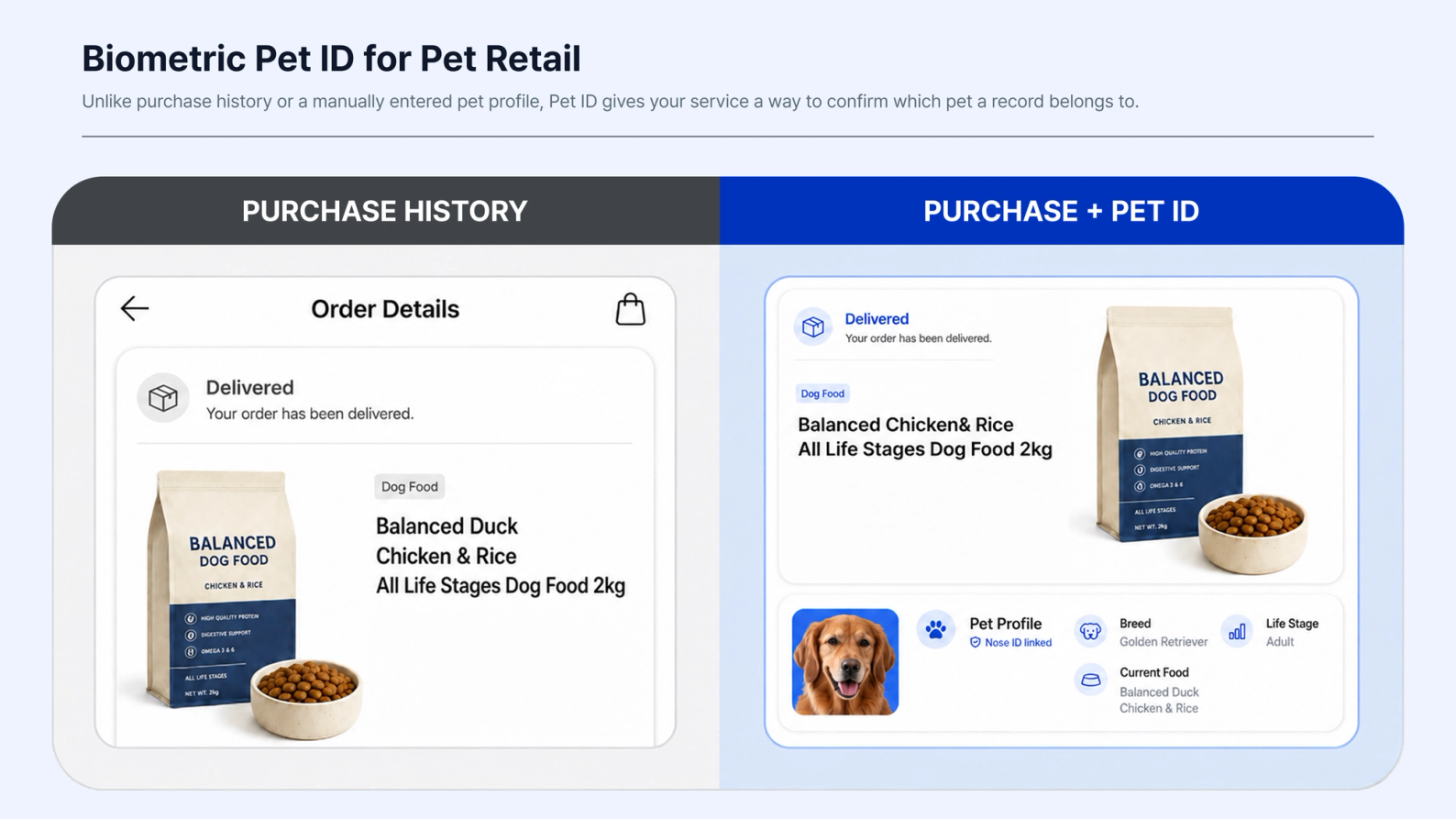
Unlike purchase history or a manually entered pet profile, Pet ID gives your service a way to confirm which pet a record belongs to.
Once the Pet ID is linked to the customer’s existing pet profile, the information you already collect, such as breed, life stage, weight and current food, can be connected to a specific pet rather than only to a customer account.
The transaction itself does not change. What changes is what you can know about the pet behind it.
3. Three Pet Retail and Loyalty Use Cases for Biometric Pet ID
Once a pet can be identified, that identity can be used in several ways across retail, CRM and loyalty.
Here are three practical places to start.
3.1 Collect First-Party Pet Data Through Existing Touchpoints
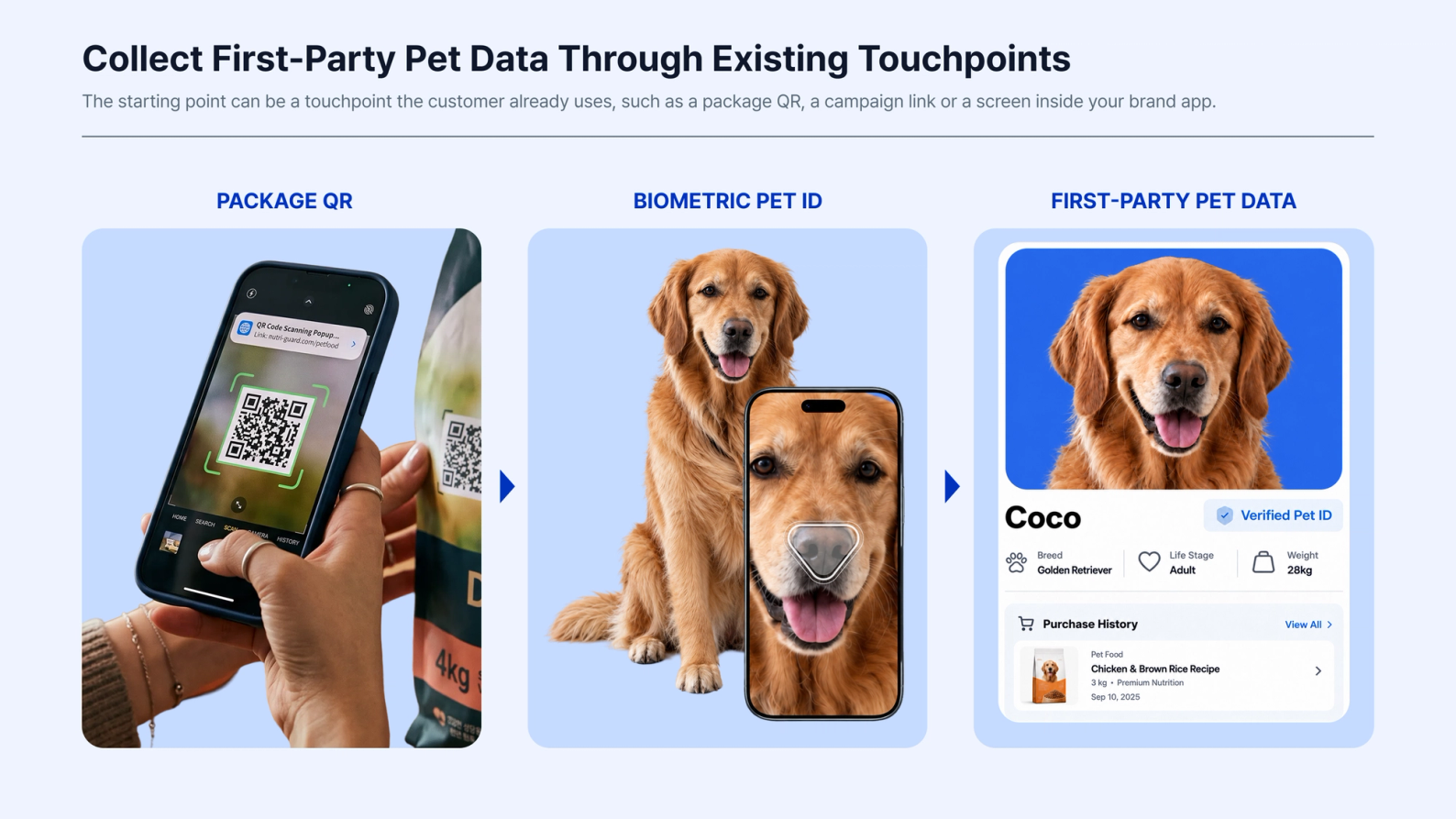
The starting point can be a touchpoint the customer already uses, such as a package QR, a campaign link or a screen inside your brand app.
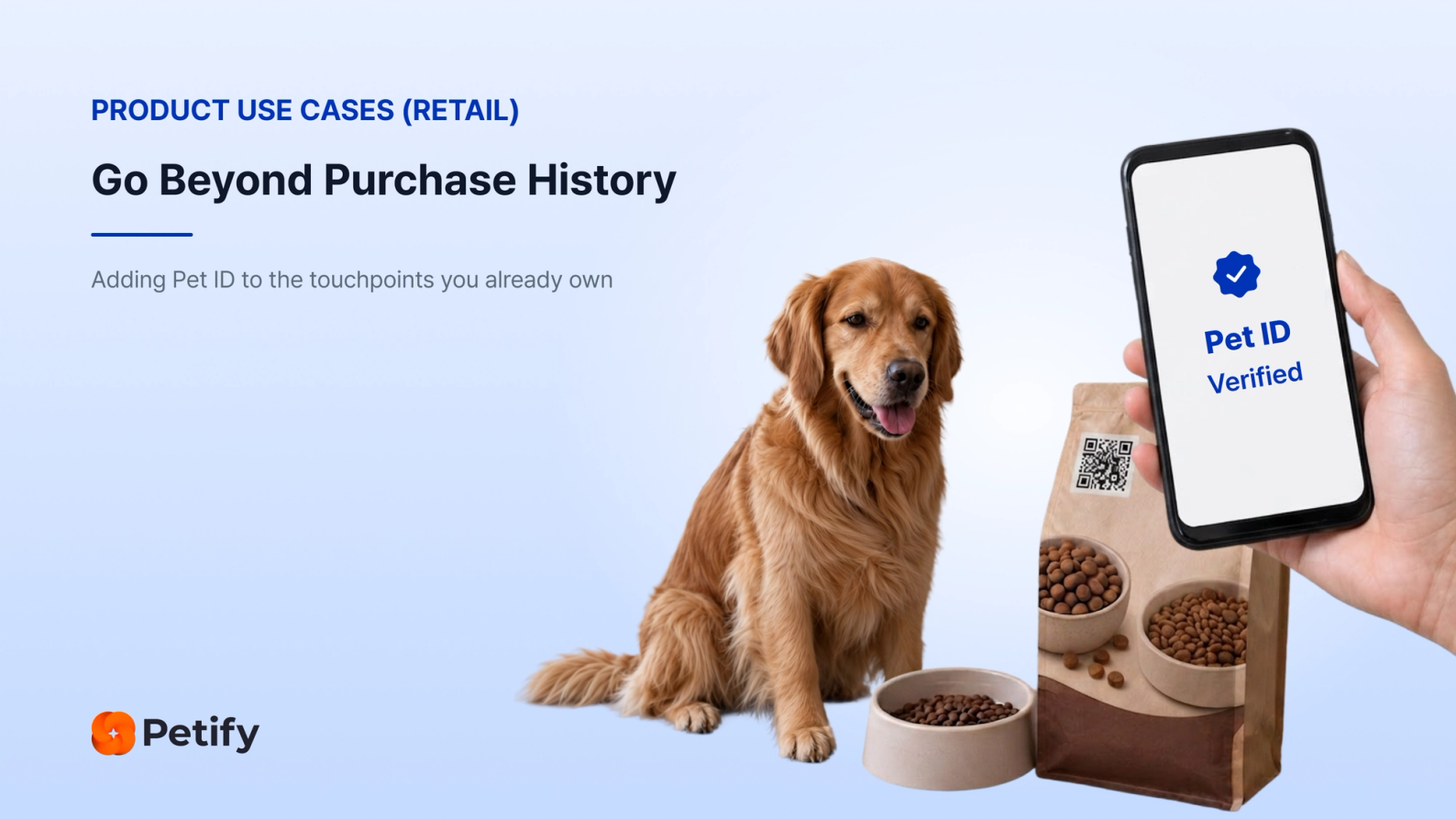
A customer who scans the QR on a bag of food, for example, can be invited to register their pet as part of that interaction.
Step 1: Start at an Existing Touchpoint
The customer enters through a touchpoint your brand already owns. There is no need to create an entirely new customer journey just to request pet information.
Step 2: Create the Pet ID
Petify guides the customer through a live biometric capture using their smartphone camera and creates the Pet ID.
The capture can begin through a hosted link or QR, or it can be incorporated into your brand app.
Step 3: Connect the Pet ID to the Pet Profile
The resulting identity can be linked to the customer’s existing pet profile and customer record.
Step 4: Add the Pet Data That Matters to Your Business
You decide which information matters to your business, such as life stage, breed, weight, diet, preferences or other category-specific fields.
The result is first-party pet data tied to a specific pet, rather than pet attributes inferred only from purchase history.
Once that connection exists, the pet data can work with the systems you already use for CRM, segmentation, loyalty, recommendations and repeat-purchase programs.
Those systems stay in place. Pet ID gives them a confirmed pet identity to work from.
3.2 Reward Pet Profile Completion Through Loyalty
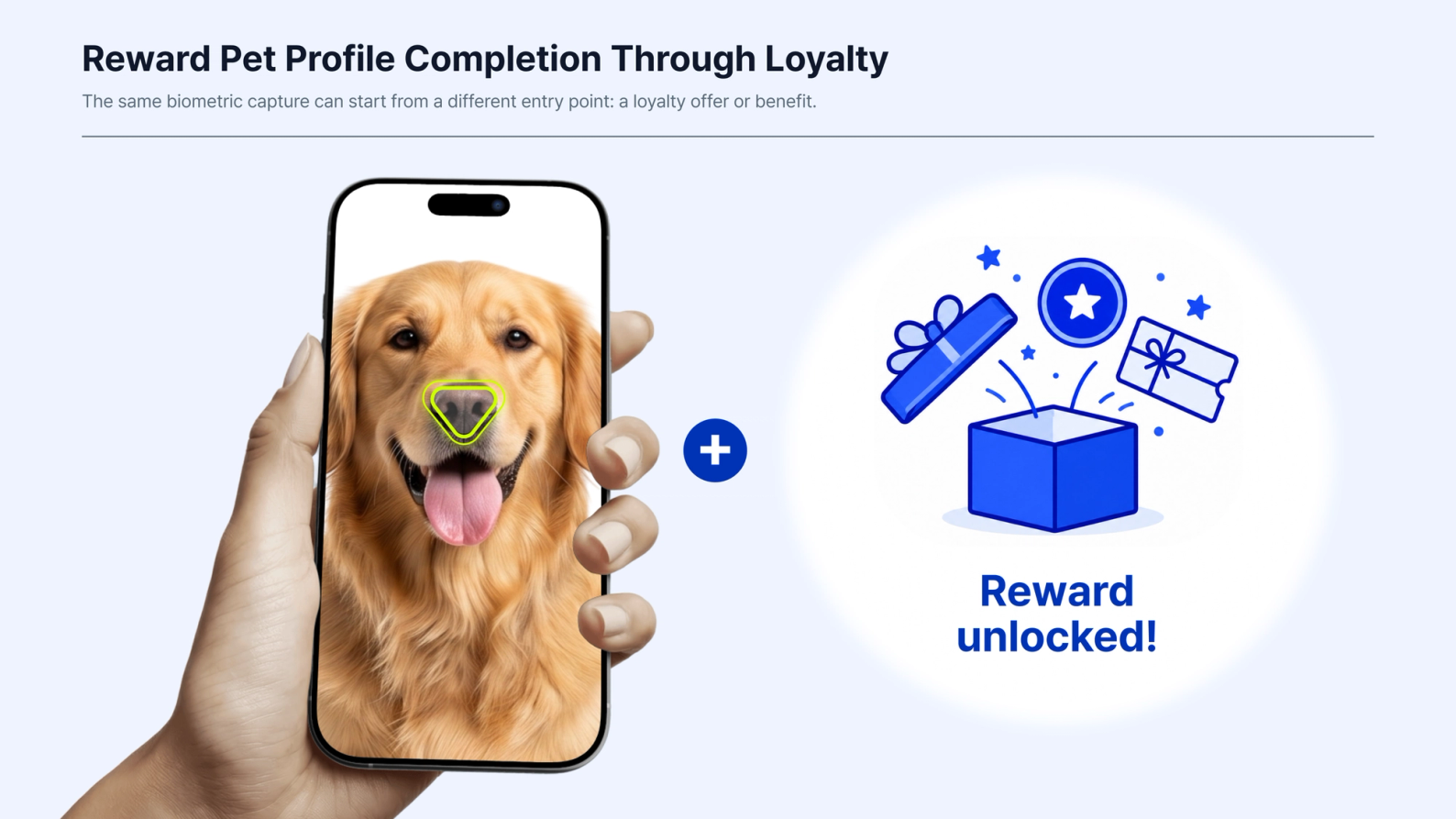
The same biometric capture can start from a different entry point: a loyalty offer or benefit.
Instead of asking customers to complete a pet profile simply because the brand wants more information, registration becomes part of an interaction in which the customer is already receiving something of value.
Step 1: Start With a Loyalty Offer or Benefit
The customer may be claiming points, a coupon, a product trial or another loyalty benefit.
Step 2: Register the Pet
As part of that experience, the customer registers their pet and creates the Pet ID.
Step 3: Apply the Reward
Your system controls the reward, its value, the eligibility rules and how the interaction fits into the rest of the loyalty program.
Step 4: Complete the Pet Profile
The customer can provide the additional information needed to complete the profile while receiving the loyalty benefit.
The biometric capture itself stays the same. What changes is the context in which profile completion happens.
Instead of appearing as a separate data request, pet profile completion becomes part of the loyalty journey itself.
3.3 Add a Lost-Pet Safety Benefit
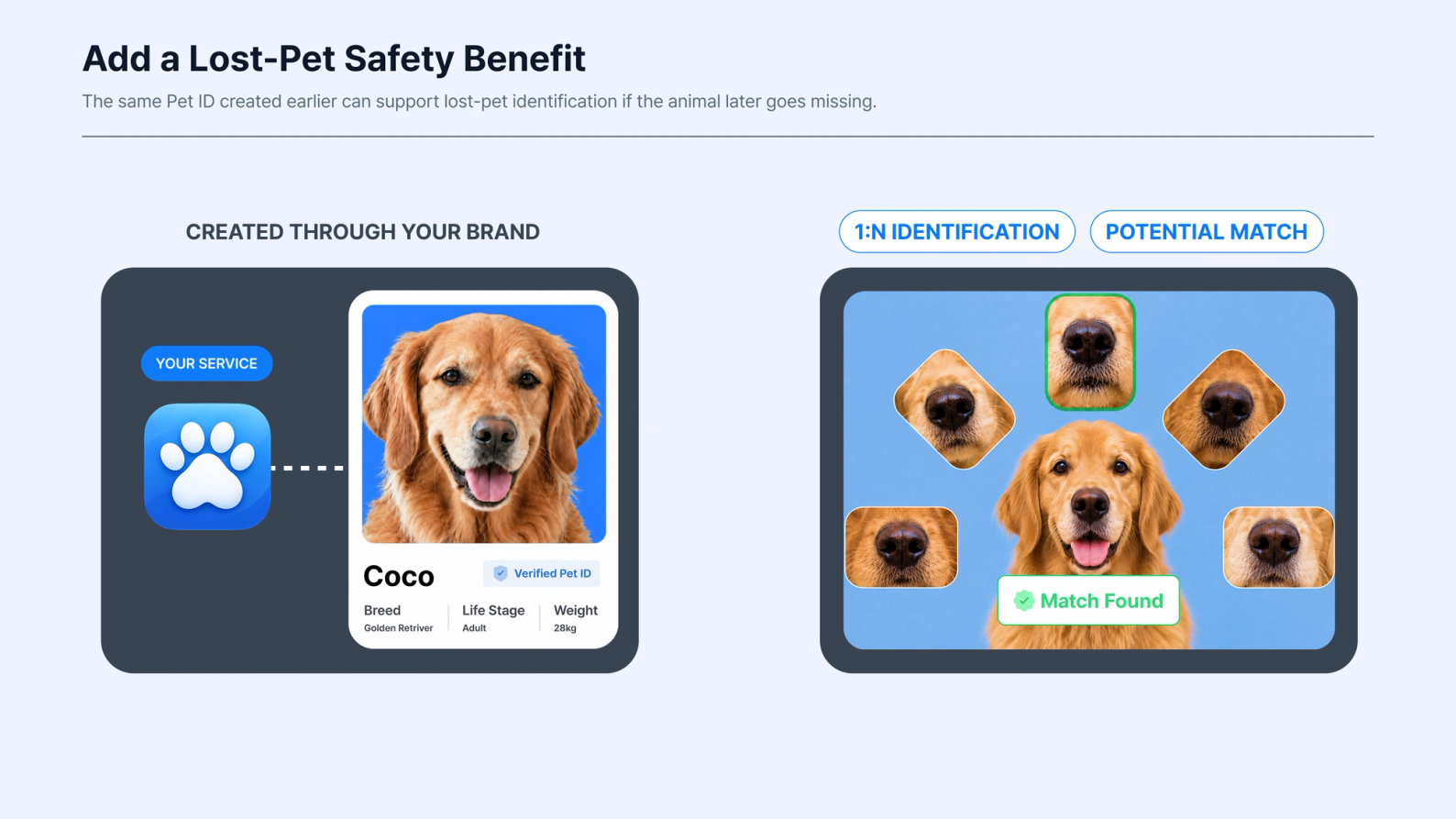
Pet ID can also create value after the original purchase or loyalty interaction is over.
The same Pet ID created earlier can support lost-pet identification if the animal later goes missing.
This time, the person starting the flow may not be your customer.
Step 1: A Finder Scans the Pet
Someone who finds the animal captures the live pet using a smartphone camera.
The finder does not need the owner’s account details or anything physically attached to the pet to begin the biometric identification process.
Step 2: Petify Searches for a Match
Petify compares the new capture against the registered pets available to that recovery service using 1:N identification.
Step 3: A Potential Match Enters the Recovery Process
If a potential match is found, the result can feed into the contact process the service already uses, such as an app notification, email or support desk workflow.
Step 4: Use the Same Pet ID for an Ongoing Safety Benefit
The identity that began with a retail or loyalty interaction can therefore support a lost-pet recovery benefit later.
Petify is designed to work alongside microchips and ID tags, not replace them.
4. Petify in Production
7.2X
Conversion in a Petify-Enabled Reward Campaign One client's Petify-enabled reward campaign saw conversion 7.2X that of the reward campaign the same client had already been running.
99%+
Biometric Matching Performance Measured in Petify's internal accuracy testing.
100K+
Pets Registered Through Client Services More than 100,000 pets have been registered through Petify clients.
5. Pet Tech API and SDK: Start With a Link, Integrate Deeper Later
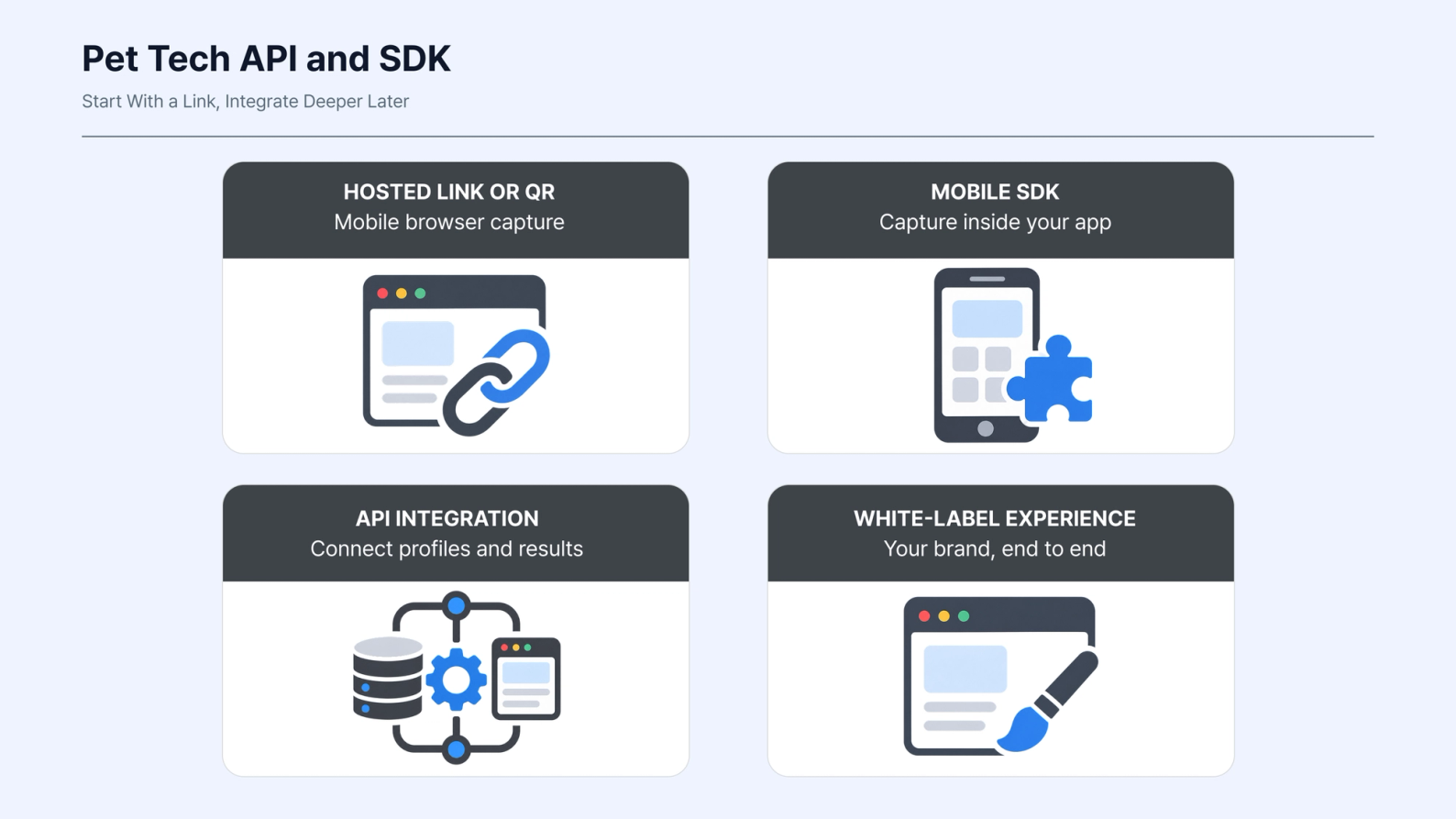
Adding biometric pet identity does not have to begin as a large integration project.
Step 1: Start With a Hosted Link or QR
A hosted link or QR can open the Petify capture flow in a mobile browser.
This is enough to place the experience on a package, inside a campaign or at another customer touchpoint without first completing an SDK integration or app release.
It gives your team a way to test the experience with real users and see how it fits into the customer journey.
Step 2: Move the Experience Into Your Brand App
Once the experience has been validated, Petify can run inside your brand app through its mobile SDK.
This allows biometric capture to become a more integrated part of the customer experience.
Step 3: Connect Existing Systems Through API or SDK
Petify can connect with the systems you already operate through its API and SDK.
The Pet ID and pet profile can then work with your existing CRM, loyalty platform and customer data infrastructure.
Step 4: Support a White-Label Experience
Petify can also support a more deeply integrated white-label experience.
The same use case can therefore begin as a lightweight hosted web flow and later become part of the product and data infrastructure you already run.
The right level of integration depends on what the use case requires. It does not have to be decided before the experience has been tested.
6. Know the Pet, Not Just the Buyer
Purchase history tells you what was bought.
Biometric Pet ID adds a way to connect that purchase to the pet it was for.
For pet retail and loyalty teams, that creates a different foundation for first-party pet data. Instead of relying only on what a customer bought to infer the animal behind the purchase, the customer record can be connected to a registered pet.
From there, the same identity can support the experiences that make sense for your business, from loyalty and profile completion to services that continue delivering value after the purchase.
And it can work with the touchpoints, CRM and customer experience you already have.
Want to see how biometric Pet ID could fit your customer journey?
We’ll walk through an end-to-end workflow and explore how Petify could connect with your existing retail, CRM or loyalty experience, including integration options and data mapping.